Client portal

Buyers, sellers, tenants and landlords, each with a page of their own.

Clients register on the agency's site and get one place for everything between them and the agency. One person can be a buyer, a seller, a tenant and a landlord at once.

A dashboard that knows who you are

What needs the client's attention first, then everything else.

  • Unread messages, viewing times to confirm, submissions to update and overdue invoices
  • The next viewing, recent conversations, the shortlist and saved searches
  • People looking for a property see their briefs and matching listings first; owners see their properties
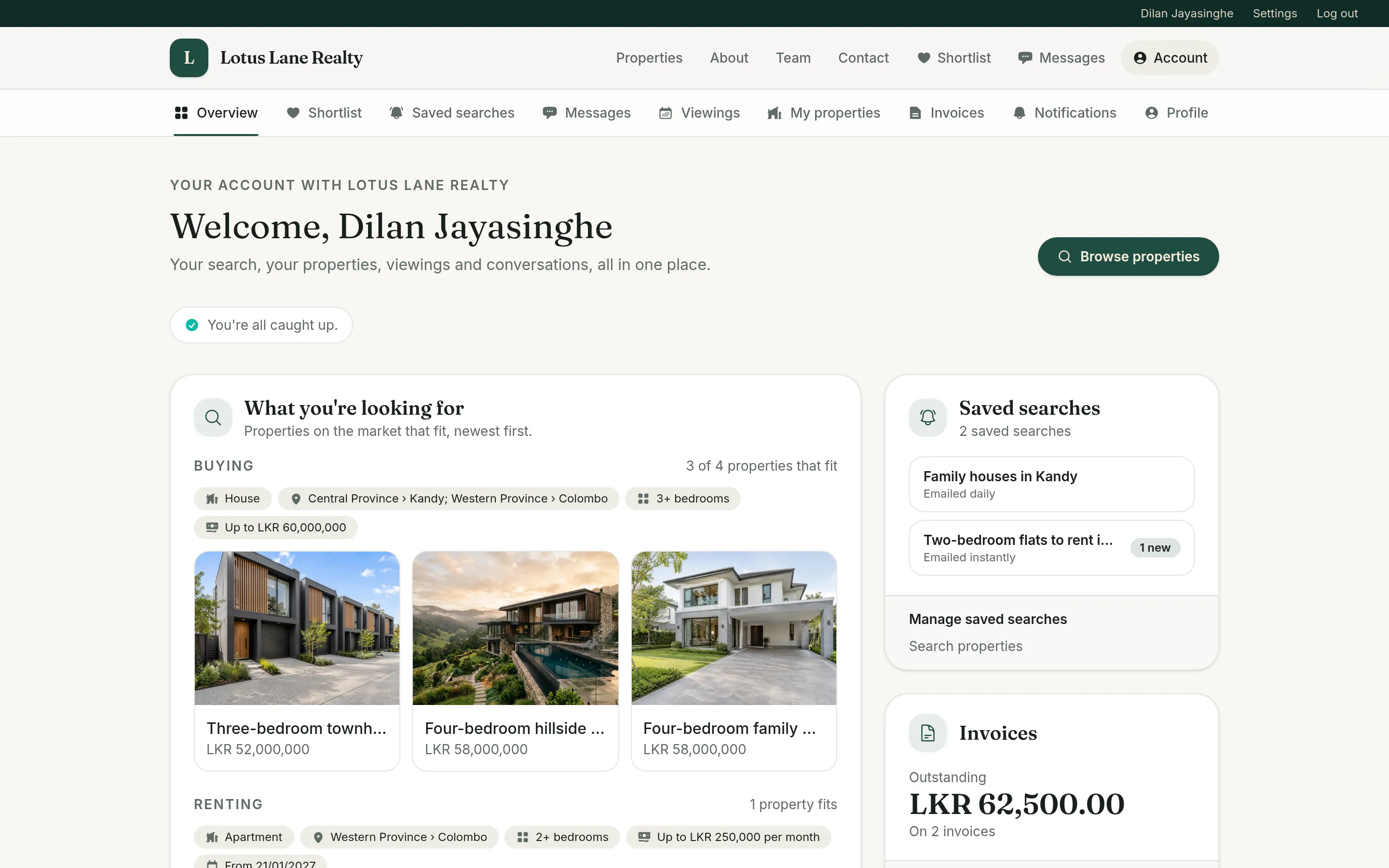
A client's portal overview, with their buying brief and matching properties, saved searches and outstanding invoices

Registration and briefs

Clients tell the agency what they are looking for, once.

  • Registration asks for a phone number and whether they want to buy, rent, sell or let
  • Buying and renting briefs: types, areas, bedrooms, budget, move-in date and notes
  • The client's agent hears about every change to a brief
  • Sign in with a password or an emailed link

Shortlists

Save listings, keep notes, and see what changed since.

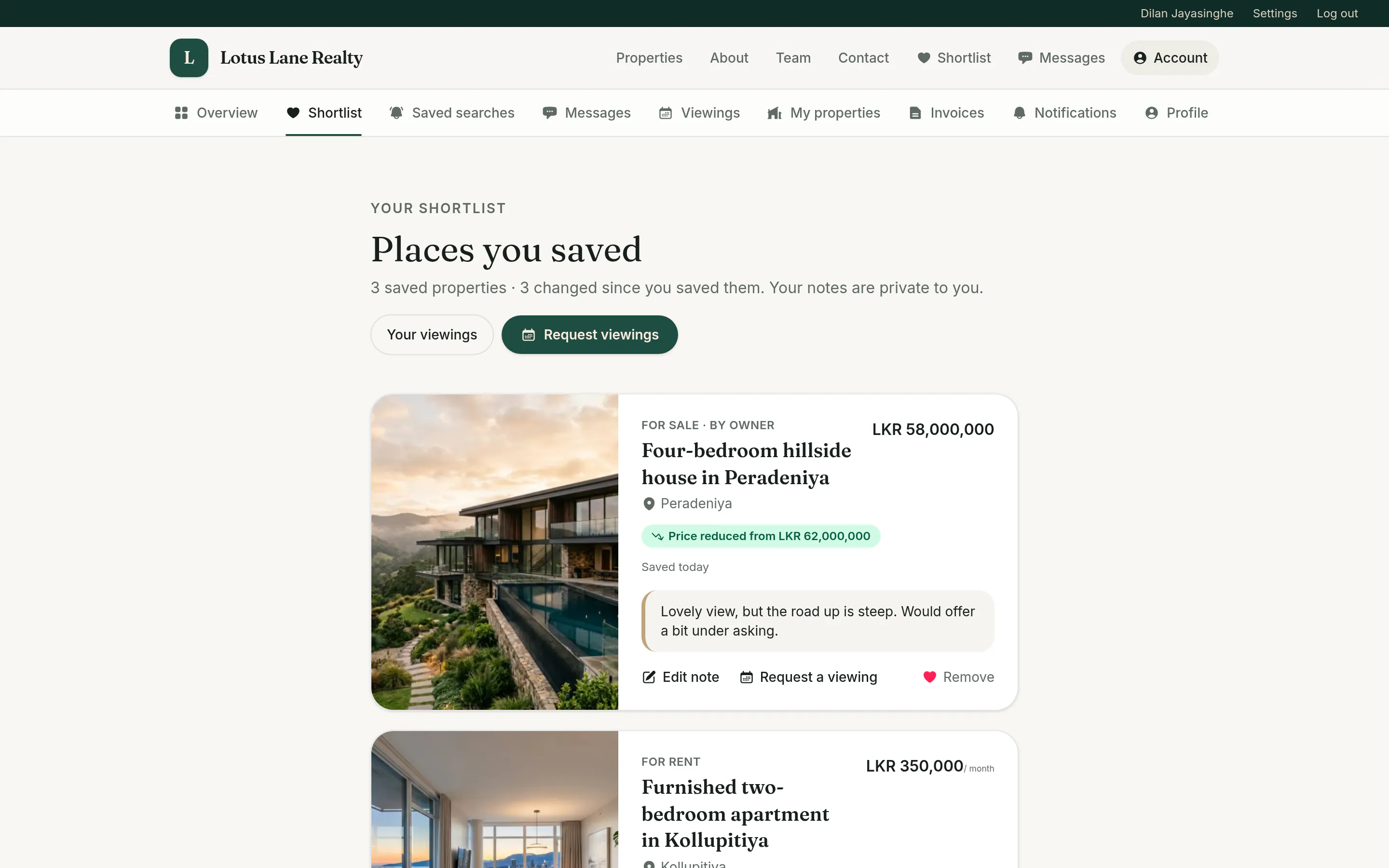
  • A heart on every listing, and a private note on each saved one
  • Flags for price changes, under offer, back on the market, sold, let and removed
  • Request viewings of several saved properties in one go
A client's shortlist, with a saved house flagged Now under offer and the client's private note about it

Saved searches and alerts

Save a search and hear about new matches by email.

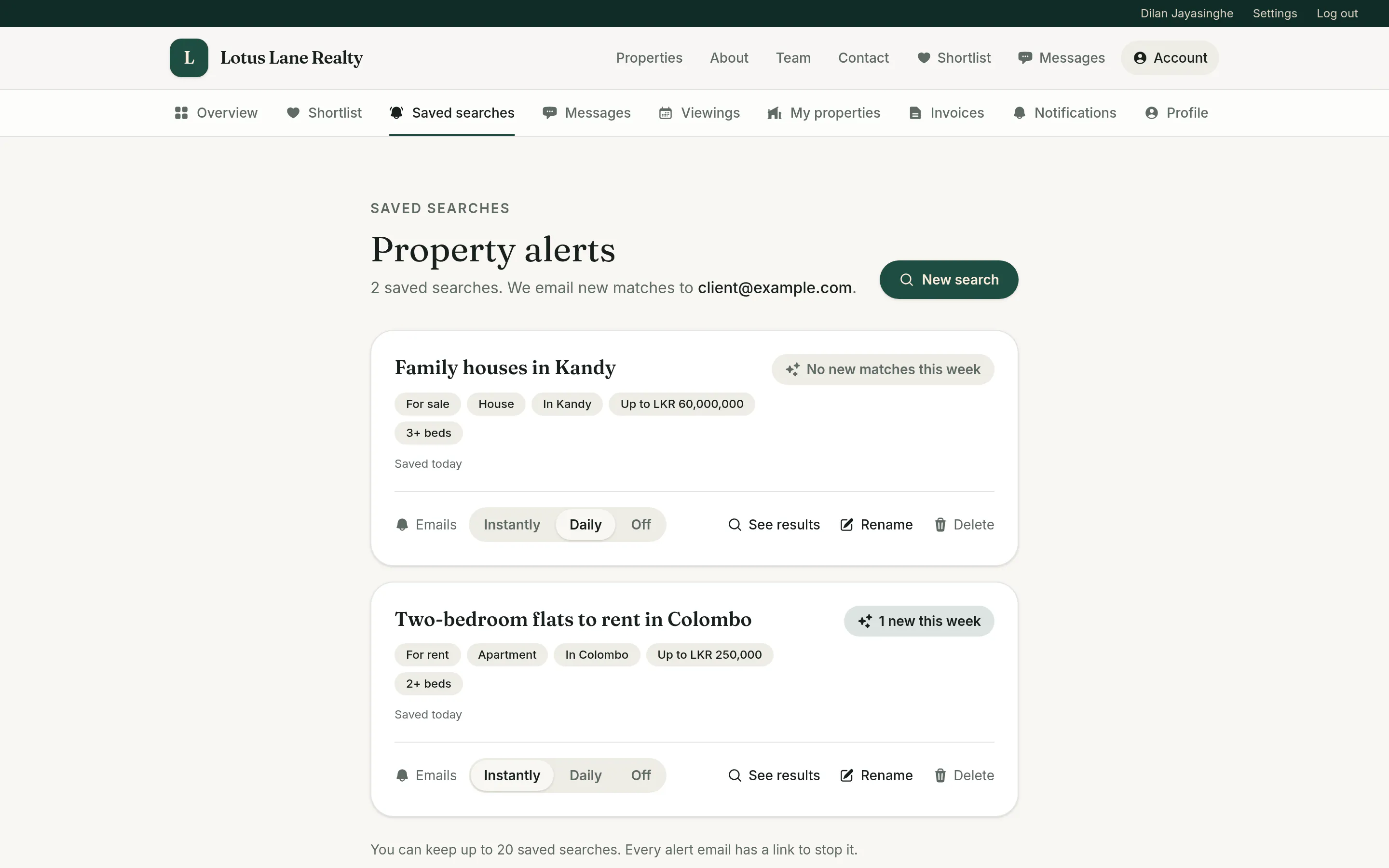
  • Save any search from the search page, with a name of your own
  • Instant or daily email alerts for new matches, or none
  • See at a glance which searches have new matches this week
  • One-click unsubscribe on every alert
A client's two saved searches, family houses in Kandy and two-bedroom flats to rent in Colombo, each with its filters and a choice of instant, daily or no emails

Viewings

Ask to see several properties at once, and confirm a time in a click.

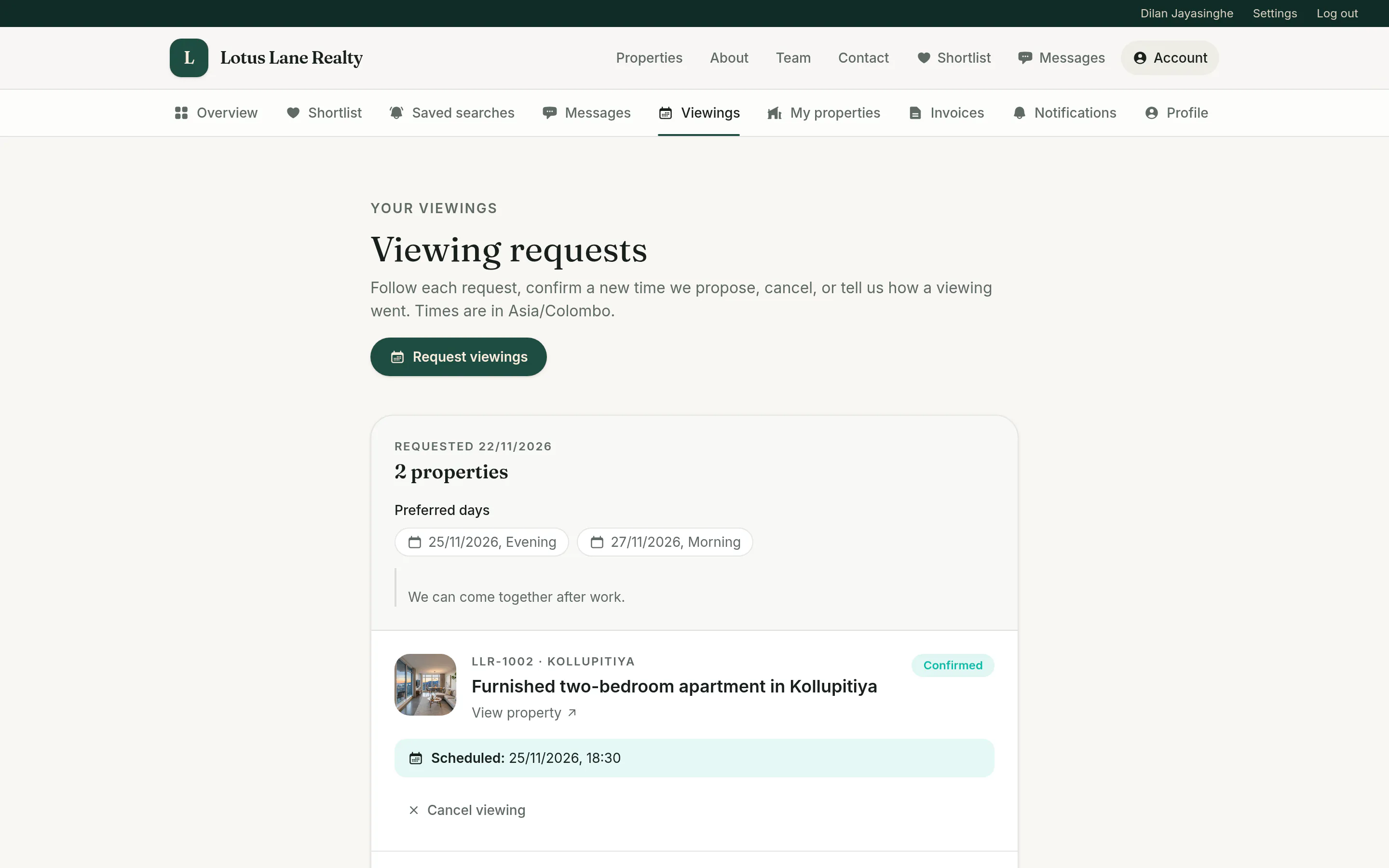
  • Request viewings of up to ten shortlisted properties, with up to three preferred days
  • Accept or decline proposed times in the portal or from the email
  • Reminders the day before and on the day, with calendar invites
  • Rate a viewing afterwards and say whether an offer might follow
A client's viewing request for two properties, with preferred days and one viewing confirmed for a set time

Messages with the agency

A real-time conversation instead of scattered emails and calls.

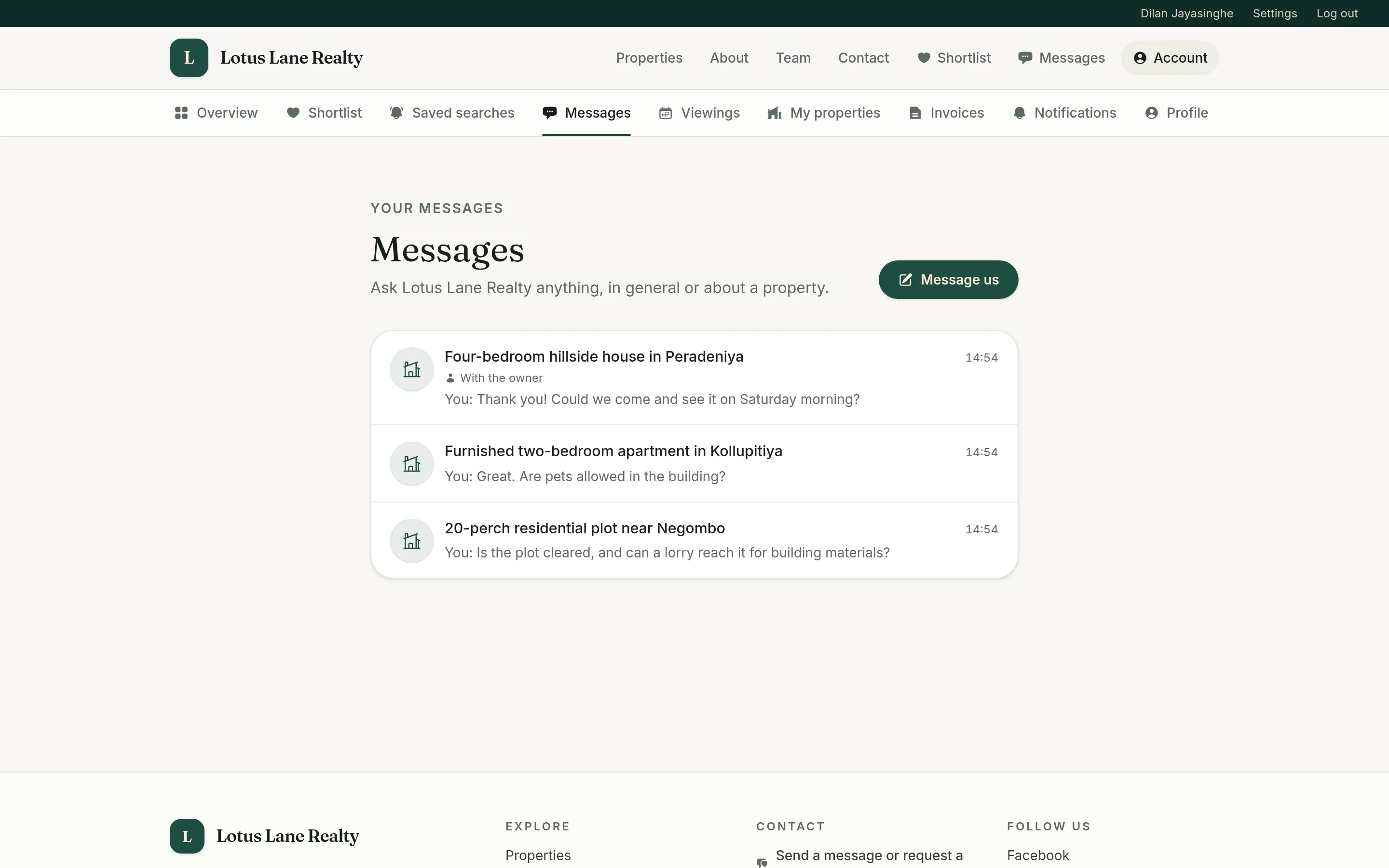
  • Chat with the agency, starting from any listing
  • Share photos and PDFs, stored encrypted with location data removed
  • One email per burst of messages, not one per message
  • Report a message to the agency
A client's messages with the agency, one conversation per property

Owners submit and follow their properties

Owners send a property in, then watch how its listing is doing.

  • Submit a property to sell, rent or lease, with the address, a map pin, a price and up to 12 photos
  • Follow the review live, answer change requests, or withdraw
  • See enquiries, viewing requests, saves and a 30-day views chart for each listing
  • Read the viewers' feedback and ratings, without their names
  • Renew, mark as sold or let, or withdraw a listing

Invoices and email preferences

Bills in one place, and email only of the kinds the client wants.

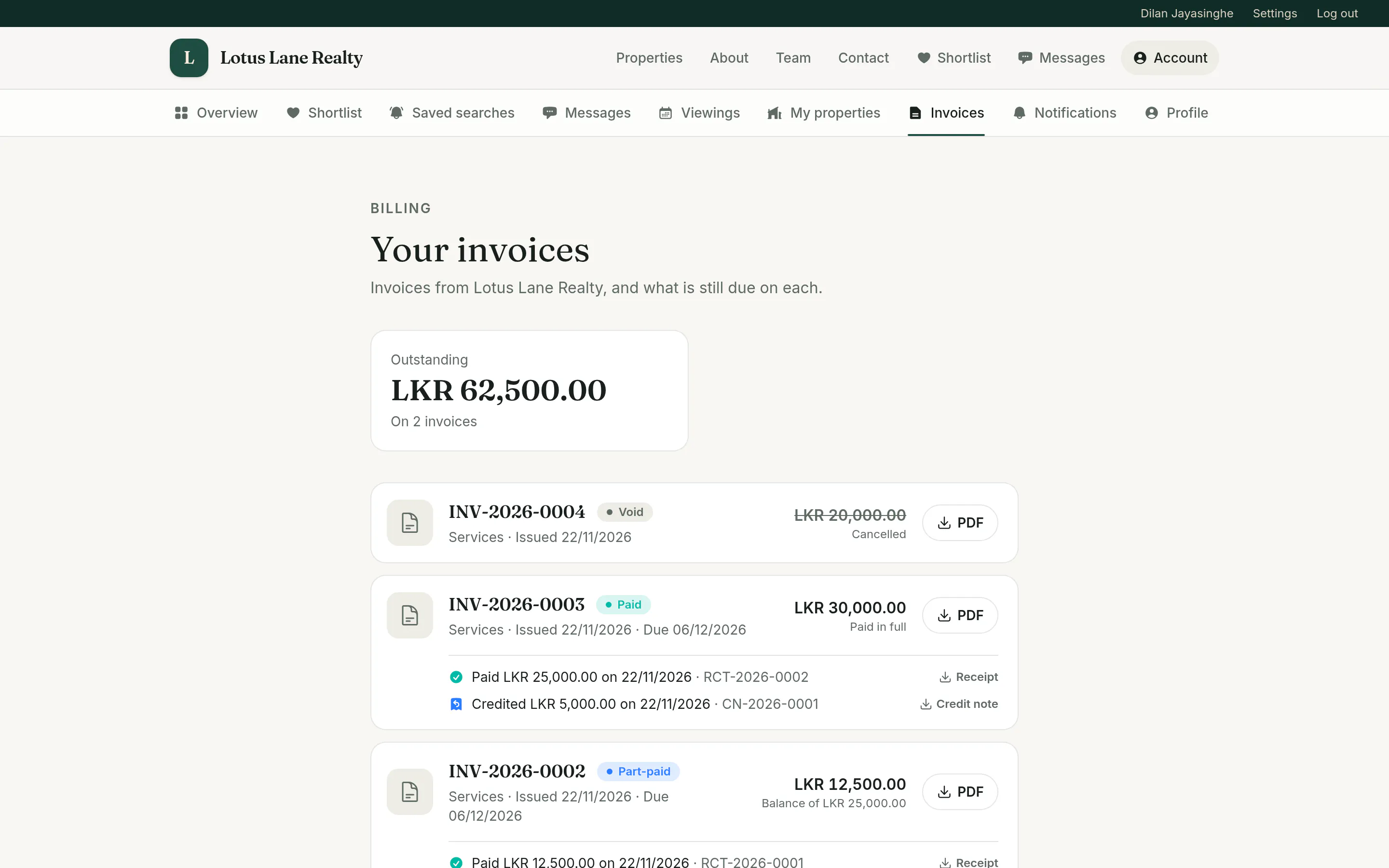
  • Invoices with balances, receipts and credit notes, each as a PDF
  • Messages, viewings and alerts can be turned off; marketing email is opt-in
  • Invoices are always sent
A client's invoices, showing the outstanding total and each invoice with its status, payments, credit notes and PDF
Next The back office

Tell us about your agency.

How many agents you have, what you list and where, and what you use today. I will come back with how Estate would fit and a straight answer on what it will take.