Listings

Show the whole property, not just the photos.

Photos, video, 360° views, virtual tours, floor plans and a printable brochure, all prepared by Estate itself. Agency listings and owners' own listings live side by side.

Photos

Upload once; every size and format is made for you.

  • Modern image formats in four sizes, from thumbnails to full screen
  • Location and camera details stripped from every photo
  • Captions, alt text, ordering and a cover photo
  • An optional watermark with the agency's name
Video walkthroughs

Upload the video from a phone or camera, and Estate prepares it for the web.

  • MP4, MOV and WebM uploads, sent straight to storage however large
  • Transcoded to 720p and 1080p with a poster frame, rotation fixed and location data removed
  • Titles and captions in any number of languages
  • Or embed a YouTube or Vimeo video, which loads nothing until it is played
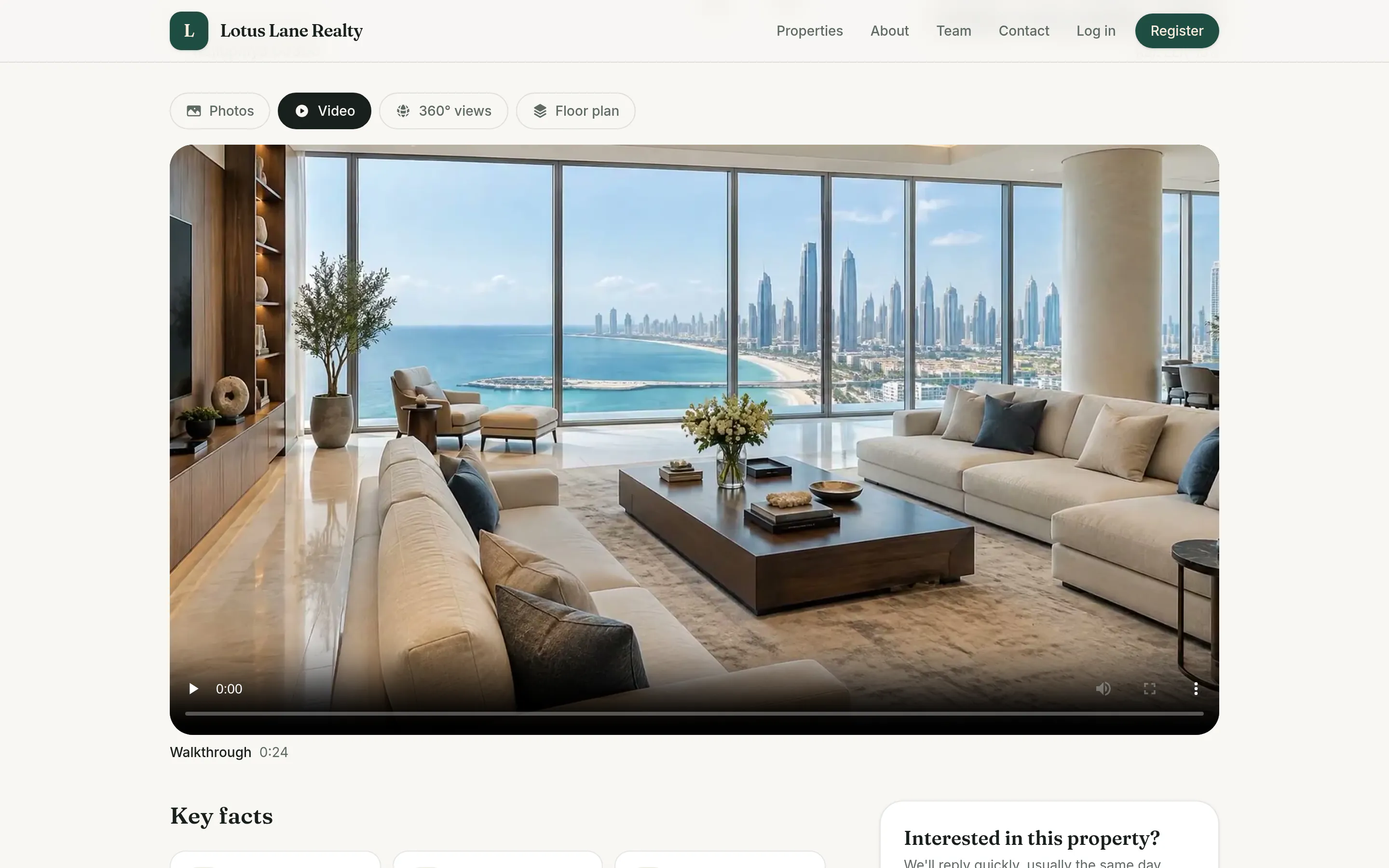
The Video tab of a listing, playing a walkthrough of a living room with sea views

360° views

Panoramas a visitor can look around, room by room.

  • Upload equirectangular panoramas from a 360° camera or phone
  • Drag, touch, tilt the phone, or use the keyboard; full screen on any device
  • Only a poster loads until the visitor starts looking around
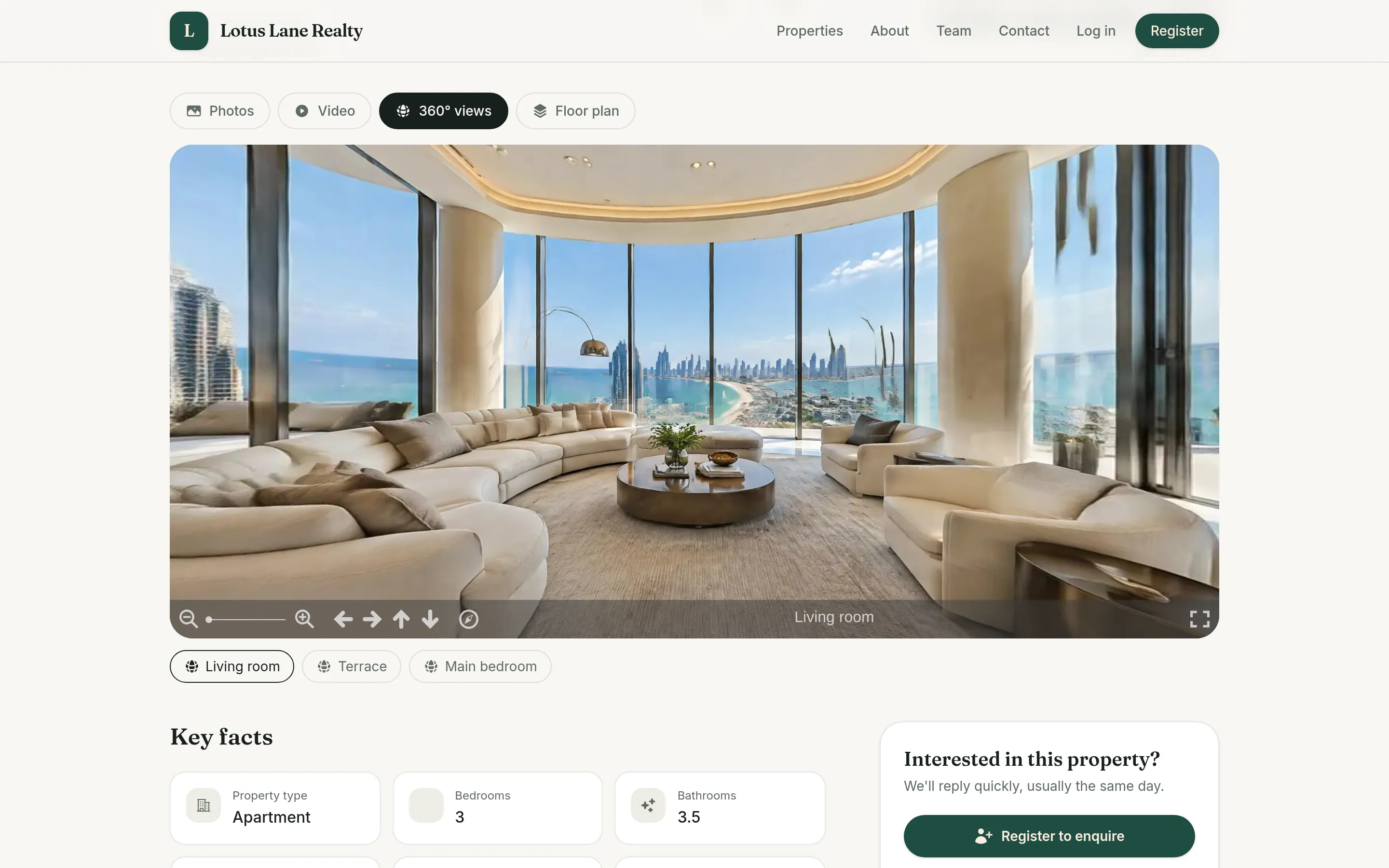
The 360° views tab of a listing, showing a living room panorama with zoom and arrow controls and buttons for the terrace and main bedroom

Virtual tours

Link the panoramas into a tour that walks through the property.

  • Links from one room to the next, placed where the doors are
  • Information hotspots on the things worth pointing out
  • A saved opening direction for every room
  • Or link a tour made with another service

Floor plans

Plans as images or PDFs, safe to publish and free to download.

  • JPEG, PNG, WebP or PDF plans, up to 20 pages each
  • PDFs are redrawn page by page, so hidden layers and metadata never reach the public
  • Every plan can be downloaded from the listing
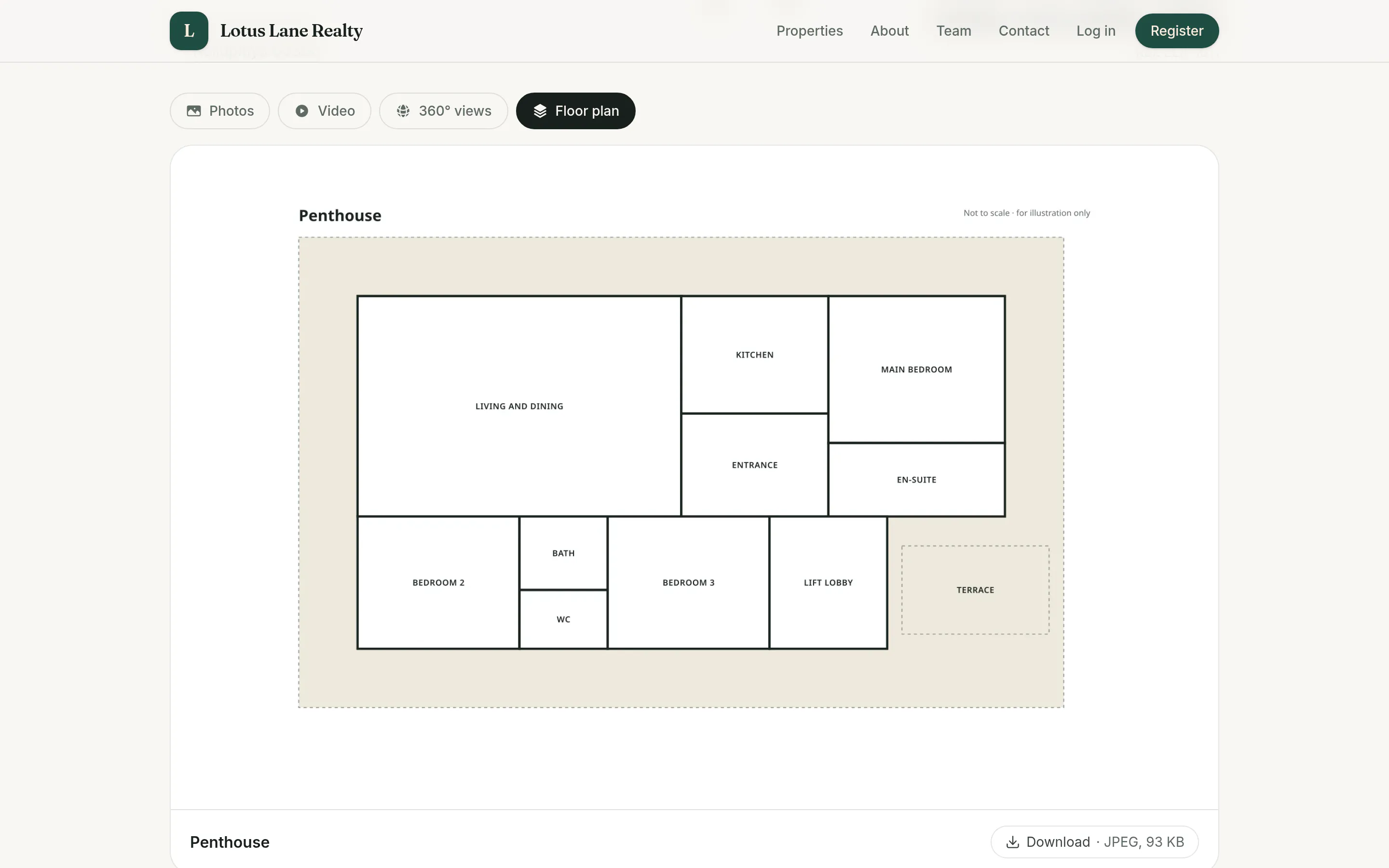
The Floor plan tab of a listing, showing a penthouse plan with its rooms labelled and a download link

Printable brochures

A PDF brochure for every listing, made from what is already public.

  • Cover photo, price, key facts, description, features, more photos and the floor plans
  • The listing's contact on the back page
  • Drafts are watermarked; sold and let listings are marked as such

Location privacy

Each listing decides how much of its address the public sees.

  • Exact: the address and the pin
  • Approximate, the default: the pin is moved on the server and shown as a 1 km circle
  • Area only: no map and no address
  • Clients with a confirmed viewing see the exact address

Agency and owner listings

List for commission, or let owners advertise for a flat fee, on the same site.

  • Agency listings with the agent as the contact; owner listings with the owner as the contact
  • Owner listings carry a Listed by owner badge, and Verified once their documents are checked
  • Owners choose to be reached by website message, phone, or both
  • Revealing an owner's phone or email needs an account, is logged and is rate-limited
  • Enquiries on owner listings reach the owner as a chat, even without an account

From draft to sold

Every listing has a status, an expiry and a history.

  • Draft, pending review, published, under offer, sold, let, withdrawn and expired
  • Expiry with email reminders, and a signed renewal link for owners
  • Price history, and sold or let listings archived after a set time
  • Drafts save as you type, preview privately, and can be duplicated
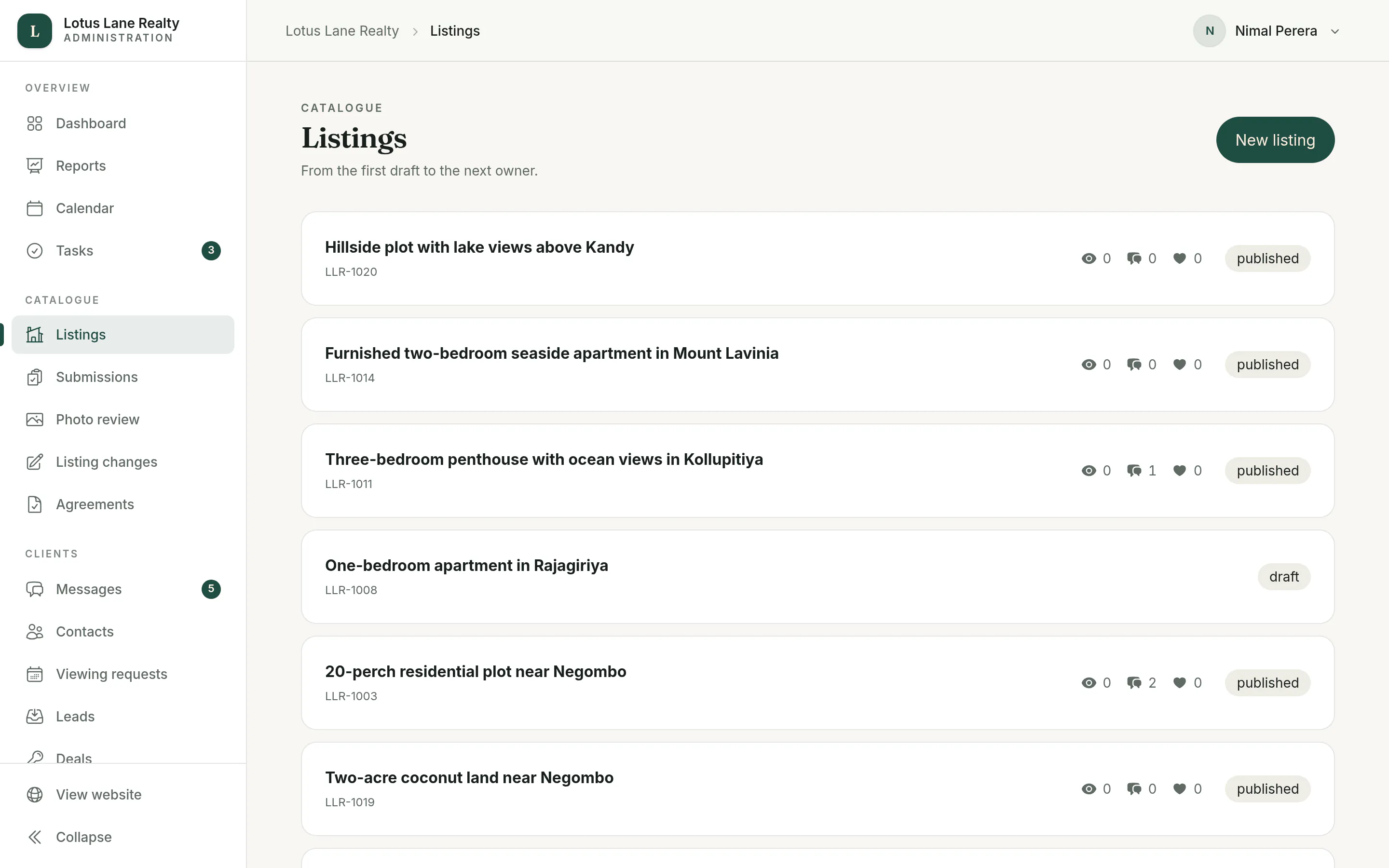
The listings list in the back office, each with its reference, views, enquiries and saves, and its status such as published or draft

The agency's own property types

Types, features and fields that suit the market the agency works in.

  • Property types with icons, each hiding the fields it doesn't need, such as bedrooms for land
  • Features and amenities with icons
  • Custom fields: text, a number with a unit, yes or no, or a choice, each public or team only
  • Areas in one to five named levels, such as Region, City and Neighbourhood
  • Addresses in each country's own format, and a map pin with address search
Next The client portal

Tell us about your agency.

How many agents you have, what you list and where, and what you use today. I will come back with how Estate would fit and a straight answer on what it will take.